
Planning
What your wedding holds
Guests, day-of, travel, money — your planning home. Guest website and guest app sit on top for your guests.
Product tour
A look at the planning home.
A selected tour of the core flow, with the rest of the page reserved for details. Enough product proof to understand the shape without losing the calm.
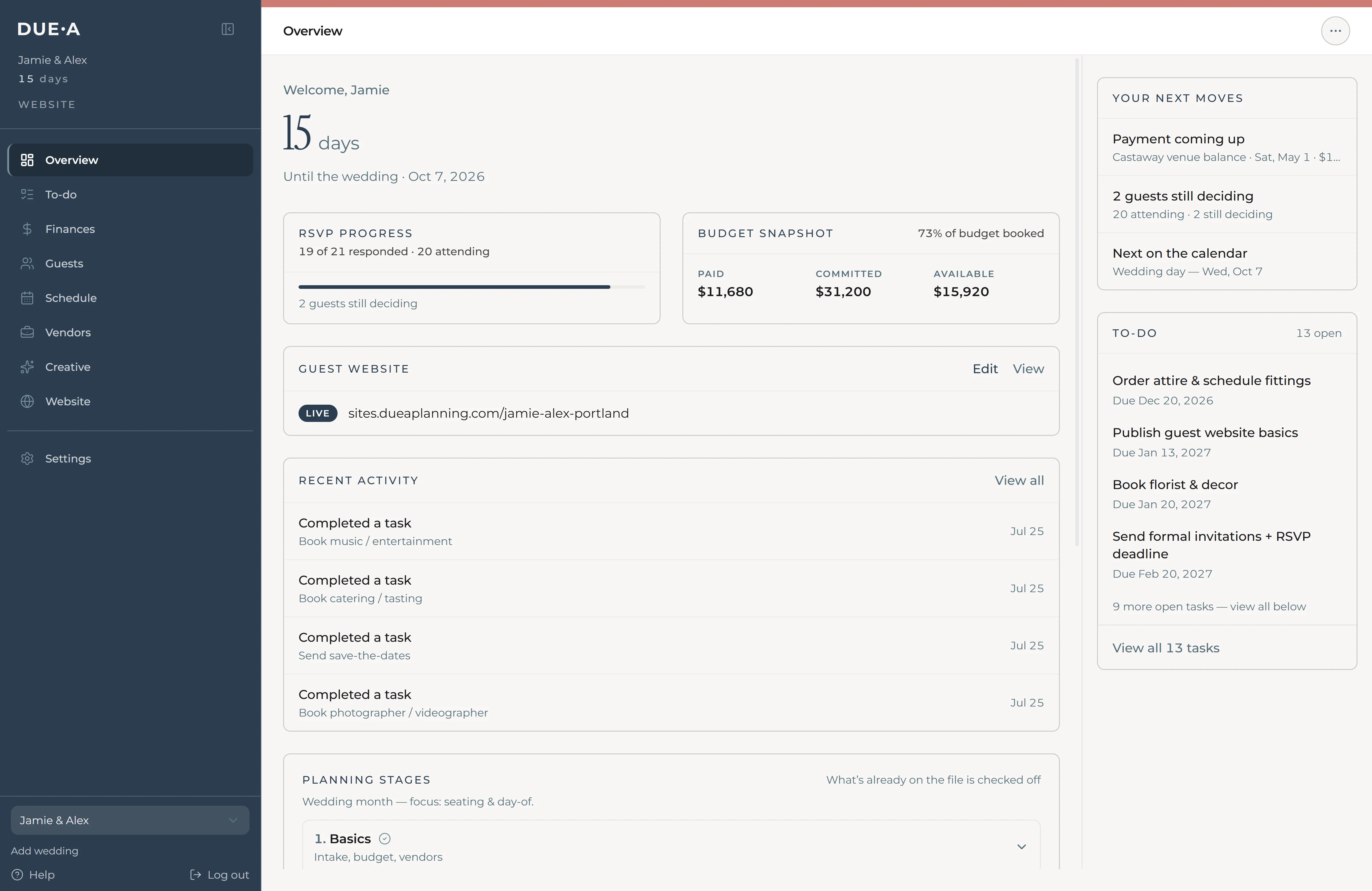
Overview
Start from one calm home.
See the wedding shape, what needs attention, and where each planning hub lives.
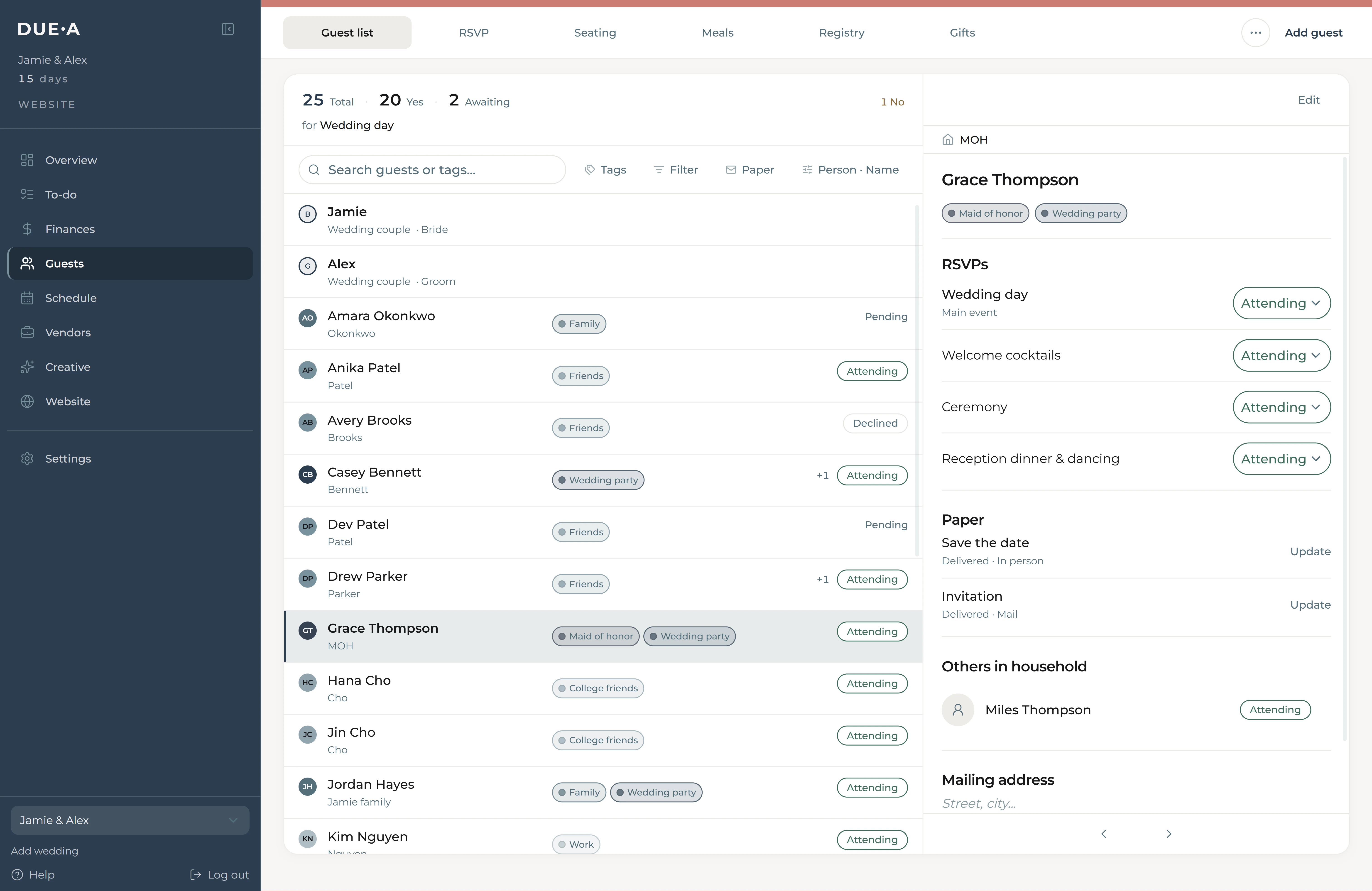
Guests
Build the list once.
Households, plus-ones, meals, dietary notes, and attendance stay tied together.
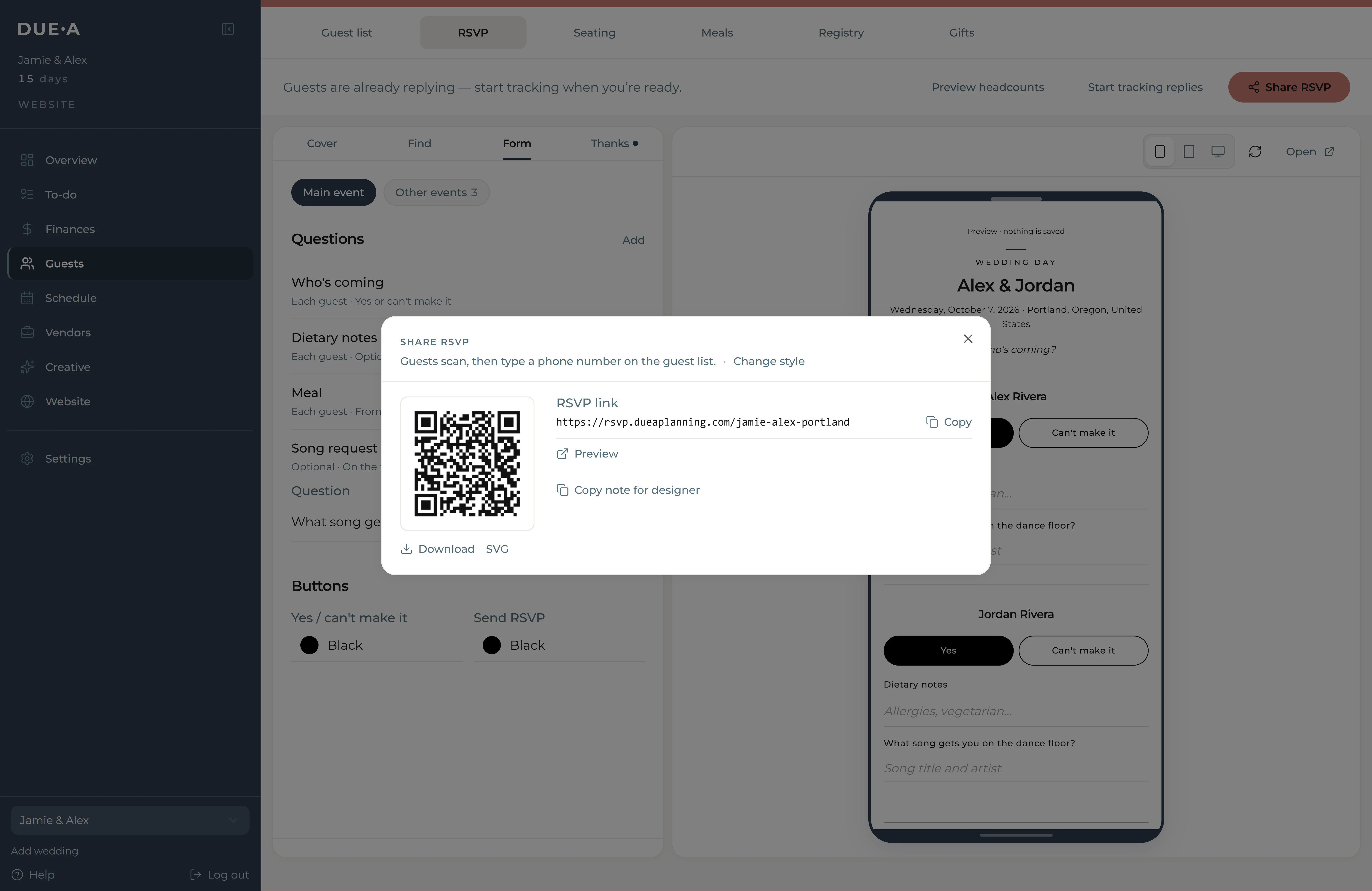
RSVP
Put the QR on the invite.
One RSVP flow updates the list, meal counts, custom questions, and headcounts.
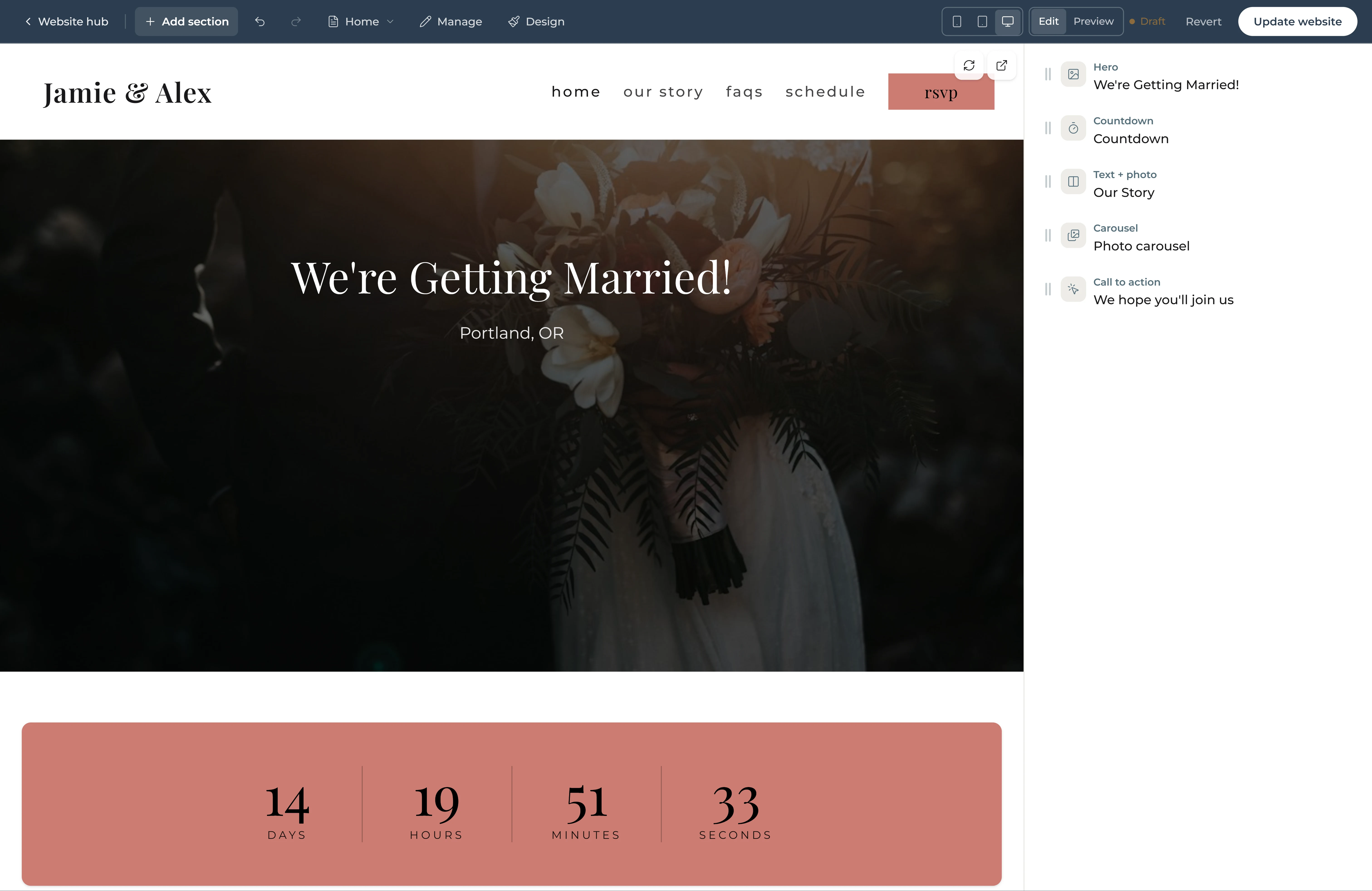
Guest website
Add a guest site when you want one.
A story site can sit on top of the same RSVP flow without replacing your planning home.
Guests & RSVP
The list. Replies stay with it.
Your people
Households, Excel or CSV import, lookup codes.
How they get in
A unique QR, one QR plus a household code, or a weekend code.
QR + link
They reply. Attendance, meals, and dietary update. Custom questions if you need them. Lives at rsvp.dueaplanning.com. No website required.
Extras after yes
Mini events, mailing address, song requests.
Seating
You assign seats from the replies. Print, PDF, or CSV. Guests don’t look up their chair.
Registry & gifts
A catalog in This wedding, plus “I purchased this.” Gift tracker on for local; destination weekends hide it unless you turn it on.
Day-of
What happens when — and what you hand over.
The schedule
Welcome drinks, ceremony, brunch. RSVP when you need a count.
Run sheet
Simple or hour by hour — for you and your people.
Packet ZIP
Presets for coordinator, caterer, florist, photographer, venue.
Vendor briefs & links
Look, notes, includes, moodboard. Share timeline, contacts, headcount, dietary — without opening This wedding.
Travel
When people are flying in. Hidden when they’re not.
Arrivals
Who’s landing when, plus logistics polls.
Rooms
On-site and off. Hotel blocks with group codes.
Who owes
Lodging collections — Venmo or mark paid. (Card checkout isn’t on yet.)
The guide
You write it once. If the app is on, the website shows basics; polls and lodging stay on the site.
Money
Budget
Categories and targets before the numbers drift.
Expenses
Spend, who paid, print or CSV for family.
Deposits
What’s due when, by vendor.
Vendors & creative
Directory
Compare, keep documents, attach day-of briefs.
Mood
Colors and a moodboard — Creative is the look; the website is its own hub.
A planner beside you
Invite your planner into the same wedding. Guest pages can credit Planned by {studio}. Hired planners also have studio tools on Desk.
Guest website. Guest app.
Add-on
Guest website
Home, Story, FAQ, Schedule, RSVP — Travel if you’re going away. Build and customize for your guests. Three looks: Romantic, Modern, Editorial. Optional password. Same RSVP URL. Unpublished can look empty until you publish.
Add-on · after the website
Guest app
After they RSVP yes. Mini RSVPs, pay status, day-of, the full destination guide. Native client still in development — enabled with you. Not in the App Store or Play.
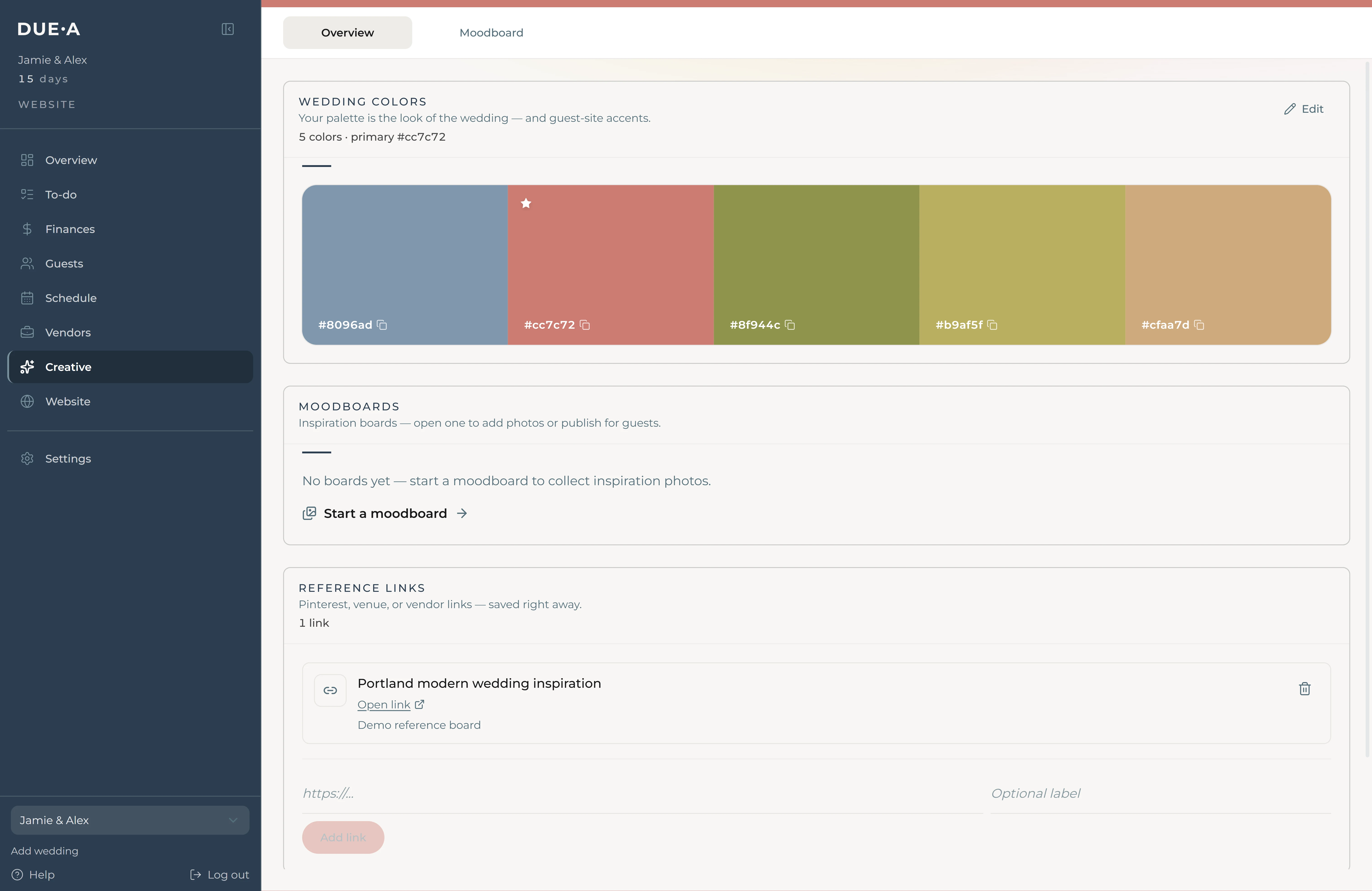
Creative
Your guest-facing look has a home too.
The website and guest surfaces can match the wedding style without becoming the whole product.
Launching November 1. Join the early list.
See the planning home before public launch: RSVPs, guests, budget, vendors, seating, and day-of in one place.